You can automatically signup your affiliates to a specific list in your Mad Mimi account. This will allow you to communicate (example: broadcast emails) with your affiliates easily.
Your affiliates will get added to the list when they register for the affiliate account.
Step 1 (Install the Addon)
Download, install and activate the Affiliates Manager Mad Mimi Integration addon
Step 2 (Go to the Settings Interface)
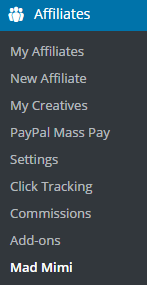
Click on the Mad Mimi menu from the Affiliates Manager plugin’s admin interface.
Step 3 (Enter Your Mad Mimi API Details)
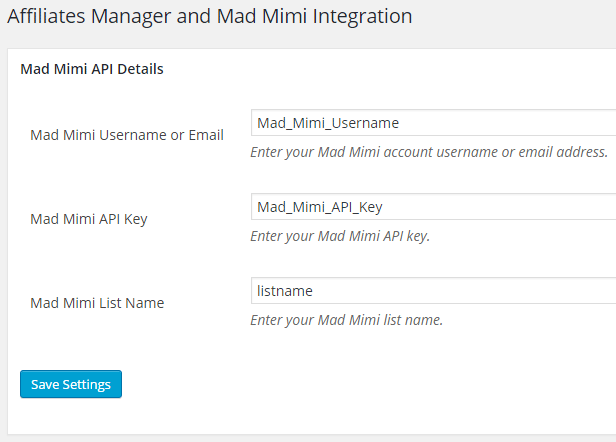
Enter your Mad Mimi API details and the list name then save the settings.
When your affiliates register for an account, they will get signed up to the Mad Mimi list you specified in the settings.