WordPress Affiliate Manager › Forums › Affiliate Manager Plugin › Wrong stats
Tagged: affiliate stats, stats
- This topic has 14 replies, 3 voices, and was last updated 10 years, 5 months ago by
smc1059.
-
AuthorPosts
-
January 10, 2016 at 11:28 am #1558
scrafted
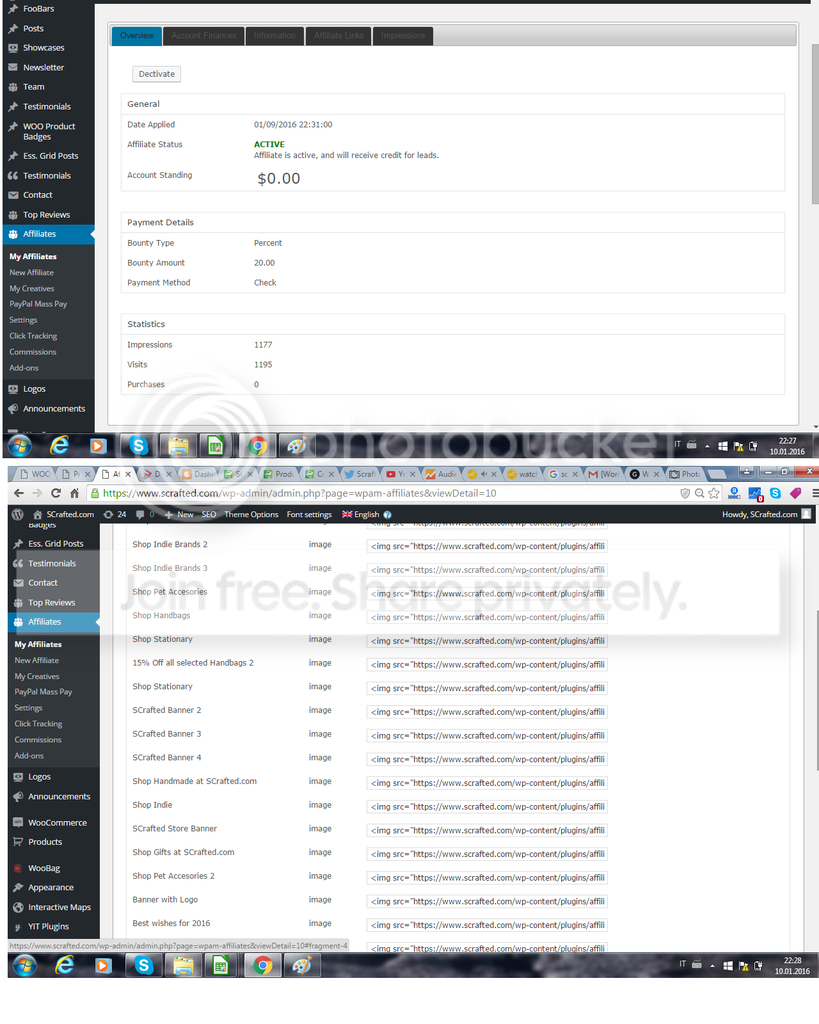
ParticipantHello there, awesome plugin! My first affiliate just signed up yesterday and looking at his stats they seems to be wrong, (visits and impressions). I can see he has 400 and something visits and impressions but thats quite impossible.
Do you know the reason this is happening? Can you help?
Many thanksJanuary 11, 2016 at 12:31 am #1559Shadow Labs
KeymasterHi, That’s very unusual. Do you see any referring URL? Have you tested it with your affiliate link?
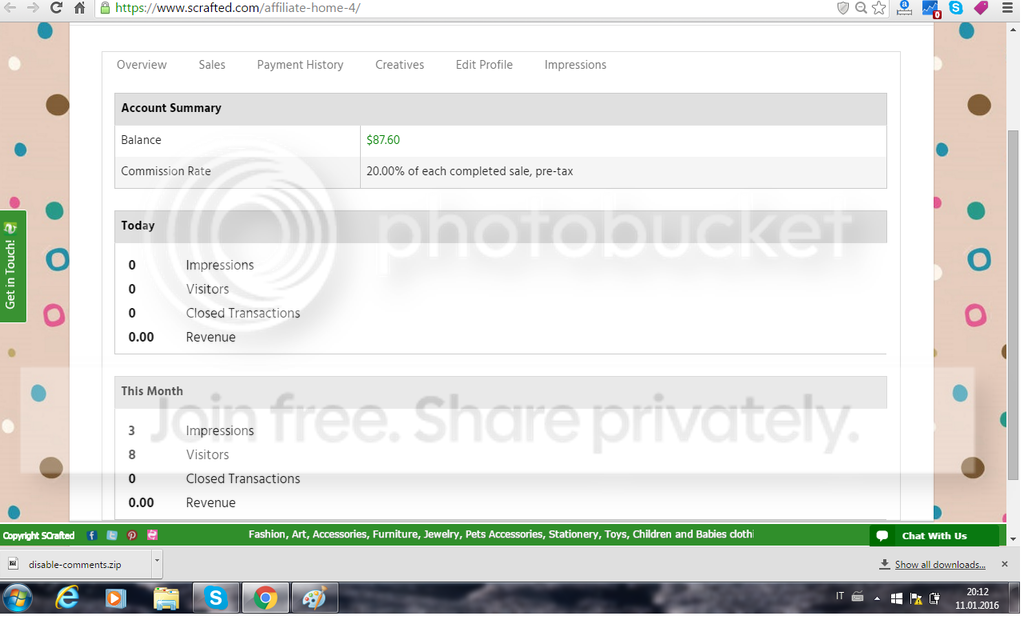
January 11, 2016 at 3:06 am #1560ParticipantHello there, thanks for the quick reply. This are 2 printscreens of the stats of my affiliate: https://i1318.photobucket.com/albums/t641/unicommerceltd/wpaffiliatestats_zpspsxjzkh1.png I also tested with my own affiliate link with no problems. My affiliate link shows correct stats but the affiliate that signed up yesterday its showing wrong stats. Do you have any idea?
Thank you very much. I really appreciate your help.January 12, 2016 at 12:09 am #1563KeymasterPlease go to the “Click Tracking” menu and see which URL referred those clicks. There is a good chance those were spam clicks.
January 12, 2016 at 12:17 am #1565ParticipantHello there, this is a print screen of the ‘click tracking’ page https://i1318.photobucket.com/albums/t641/unicommerceltd/wpaffiliatestats1_zpso6rq1rgk.png
RED is the affiliate ID and GREEN is my affiliate link im using to test(which is showing correct stats).
Do you think those spam clicks comes from the affiliate website or mine?
Thanks for your help!January 12, 2016 at 12:32 am #1566KeymasterIt has to be the affiliate site. Affiliates Manager is installed only on your site. That means it can only track a click when a visitor comes to your site through a special URL.
One thing I noticed is the tracking key format of those clicks. This tracking key format is already deprecated in our plugin. I’m not sure how an affiliate (who signed up yesterday) could refer users using our old affiliate link format. Do you have the Impressions option enabled in the settings?
January 12, 2016 at 12:45 am #1567ParticipantYes i can see the impressions. This is another printscreen of the account i m using to test https://i1318.photobucket.com/albums/t641/unicommerceltd/wpaffiliatestats2_zps3vxb1sh7.png . I tested and is recording sales, visits and impressions. Is this the old format im using? Do you think it can create issues with the plugin? Is it possible is giving wrong stats because of this?
ThanksJanuary 13, 2016 at 1:18 am #1571KeymasterWe haven’t updated the impressions code yet. It’s still using the old affiliate link format. But it wouldn’t record 400 false visits.
Probably it’s a good idea to disable impressions for now. You can continue to monitor if it makes any difference.
January 13, 2016 at 3:57 am #1575ParticipantHello, i disabled the impressions for now, let’s see what happens. Thank you very much for your help, it was really appreciated! If my affiliate members list gets big enough i will definitely buy the premium v.
Thanks againJanuary 14, 2016 at 2:27 am #1579KeymasterYou’re welcome. If you like this Free Affiliate plugin please give it a rating here:
http://wordpress.org/support/view/plugin-reviews/affiliates-manager?filter=5
January 15, 2016 at 12:23 am #1582ParticipantRated 5 out of 5!. Another 2 affiliates signed up for my program. This plugin is really great! I have one question. One affiliate wants to link to a specific page or product. What would be the correct link format? I could only find this one https://www.scrafted.com/?wpam_id=7 which is the the home correct? Do they just add ?wpam_id=7 at the end of every link they want to redirect to?
Many thanks again for your supportJanuary 15, 2016 at 1:00 am #1584KeymasterHi, Thank you very much for rating our plugin. This page will explain how an affiliate can link to any page on your site: https://wpaffiliatemanager.com/affiliates-can-link-page-site/
Alternatively, you can configure text links/image banners in the “Creatives” menu so affiliaites manager can automatically generate links for your affiliates. This will probably be easier than sending links to each affiliate manually.
January 16, 2016 at 11:48 pm #1590ParticipantGreat thanks! I have another question. Sorry to bother so much, but a new affiliate signed up and she is sending traffic, i can see it on google analytics but far from the stats i m seeing on her account. On google analytics she is sending 5 visits but the affialiate stats say 300 and something. So i still get those wrong stats regarding visits. I disabled impressions as you suggested but visits still showing wrong values. I m afraid affiliates will be asking why soon why this is happening… Can you help with this?
Many thanks againJanuary 22, 2016 at 12:54 am #1612Keymaster@scrafted, Do you see a referring URL? It’s unusual to get 300 visits just after signup.
March 18, 2016 at 5:20 pm #1771smc1059
ParticipantJust throwing my “2 cents” in. I just installed the program and created a “fake” account to test how things worked. Upon signing in it showed 4 impressions and 6 visitors. I logged out and back in (nothing else) and it shows 24 impressions and 30 visitors. That’s why I came on forum, because it didn’t make sense.
-
AuthorPosts

- You must be logged in to reply to this topic.